Hindi Font Generator: Calligraphy Hindi Fonts For Free
Looking for Hindi fonts to download? Explore stylish Hindi fonts, beautiful calligraphy fonts, and unique Unicode text styles. Free to use, easy to download, and perfect for your creative projects.
Copy copies plain text only. PNG and Transparent save the styled look as an image.
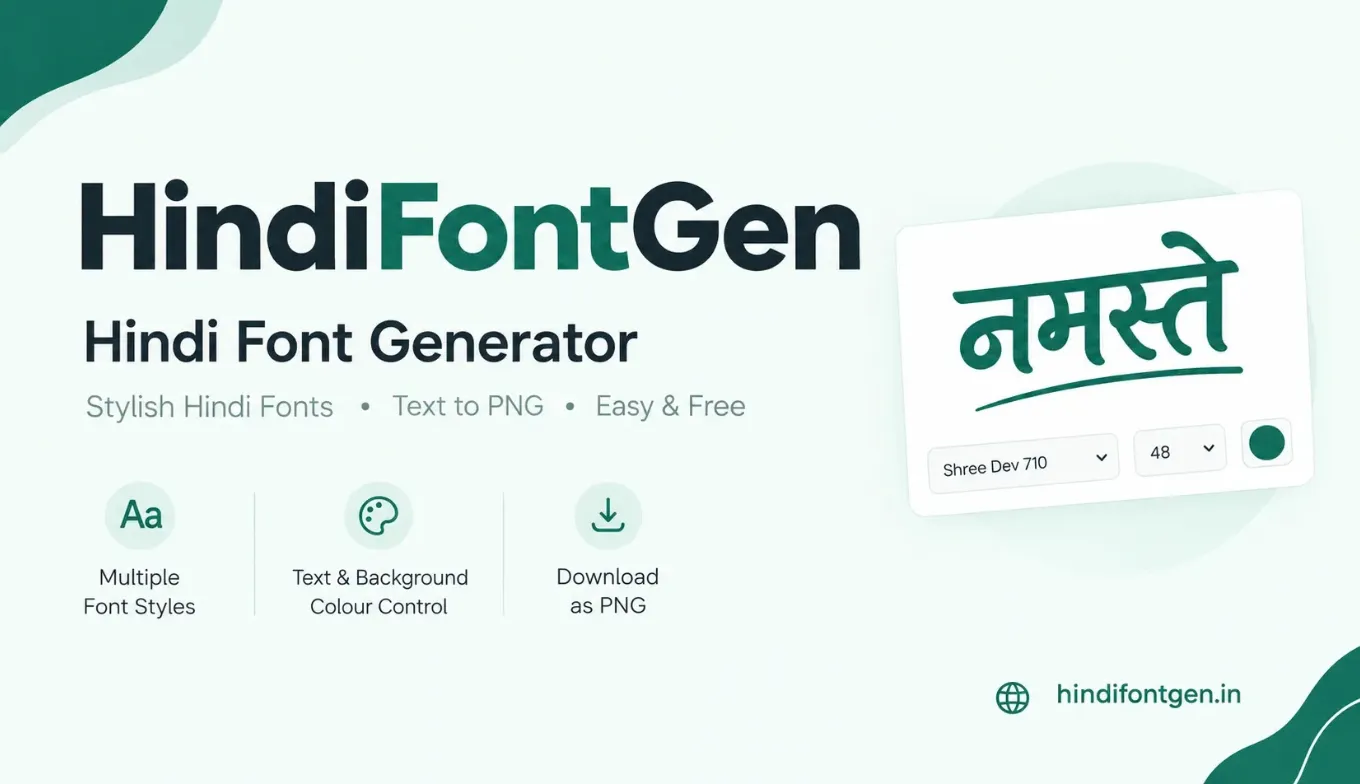
What is a Hindi font generator?
A Hindi font generator shows the same Unicode Hindi text in many different Devanagari typefaces side by side. Instead of switching fonts one by one in a design app, you type once and compare every style at the same time.
Nothing is converted into symbols. Your text stays normal Unicode, and only the typeface changes how it looks. That is why this tool is useful for names, quotes, Instagram and WhatsApp graphics, wedding cards, posters and thumbnails: you see your real words, with real matras and conjuncts, before you design anything.
Pick a style, adjust size and colours, then use Copy for plain text or PNG and Transparent to save the exact styled look as an image.
What it does
- Shows your text in 61 Devanagari fonts, 12 at a time
- Changes size, text colour, background colour and effect
- Copies your text as plain Unicode
- Saves a PNG with a background, or a transparent PNG
- Opens each font's Google Fonts page
What it does not do
- Install fonts on your phone or computer
- Keep the font when you paste text into another app
- Convert to Kruti Dev here (use the converter)
- Save the text you type on a server
- Offer fonts that are not on Google Fonts
How to use it in 4 steps
- 1
Type your text
Enter Hindi or English text in the box at the top (up to 200 characters), or tap one of the sample phrases.
- 2
Set size and colours
Move the slider, pick text and background colours, and optionally an effect: Outline, Shadow, Glow, 3D or Gradient.
- 3
Narrow down the styles
Use the Stylish, Bold, Classic and Clean tabs, the Best for shortcuts, or search a font by name. Each card shows your text in a different font.
- 4
Copy or download
Use Copy for text, PNG or Transparent for an image, or Get font to open that typeface on Google Fonts.
All 61 fonts, grouped by look
Every font in the generator is listed here, so you can see what is available before you type anything. Names link to the font's Google Fonts page, where you can read the licence and download the family.
Stylish & calligraphy (25)
Handwriting, display and decorative faces. Best for names, quotes, Instagram bios, greeting and wedding cards.
Bold (10)
Heavy, condensed or high-impact faces. Best for posters, banners and YouTube thumbnails.
Classic serif (9)
Serif faces with traditional proportions. Best for formal invitations, certificates and book-style text.
Clean sans-serif (17)
Plain, readable faces. Best for captions, longer text and website headings.
What makes Hindi text look right in a font
Most Devanagari letters hang from a horizontal line called the shirorekha. In a well-made font that line runs unbroken from one letter to the next, so a word reads as a single strip. If you see small gaps in it, the cause is usually extra letter-spacing added in a design app. Leave letter-spacing at zero for Hindi.
Matras (vowel signs) sit above, below or beside the letter, as in कि, की, कु, कू, के and कै. They need vertical room, so a tight line height can make them touch the line above. For text on more than one line, about 1.5 times the font size is a safe line height.
Conjuncts such as क्ष, त्र, ज्ञ and श्र are single shapes built from two or more letters. Most modern fonts draw them well, but some decorative fonts stack them awkwardly or show a visible halant (्). That is the main reason to test your own phrase instead of judging a font by one letter.
Thin strokes also do not survive shrinking. Small marks like the chandrabindu (ँ) and the nukta (the dot in ड़ or क़) are the first to vanish, so pick a medium or bold weight for anything people will read on a phone.
Phrases to try and fonts that suit them
These are starting points only. Press Try to load a phrase into the generator, then judge the result yourself.
| Phrase | Typical use | Fonts worth trying | Load phrase |
|---|---|---|---|
| शुभ दीपावली | Festival greetings, WhatsApp status | Yatra One, Rozha One, Tillana | |
| जन्मदिन की हार्दिक शुभकामनाएं | Birthday posts and cards (long phrase, so readability matters) | Kalam, Hind, Mukta | |
| आपका स्वागत है | Shop banners, event boards | Khand, Baloo 2, Sarpanch | |
| सुप्रभात | Good-morning images | Playpen Sans Devanagari, Amita, Sahitya | |
| श्री गणेशाय नमः | Invitations, pooja and wedding cards | Tiro Devanagari Hindi, Eczar, Sanskrit Text |
Unicode Hindi fonts vs. old font-based text
Modern Hindi typing uses Unicode Devanagari. A word like नमस्ते is stored as standard characters that can be searched, copied and read by any website or app. The font only changes how those characters look.
Older legacy workflows (such as KrutiDev) depend on a special character mapping, so changing the font alone does not convert them. If you have legacy text, use the Unicode ⇄ KrutiDev converter. To find a specific symbol or matra, try the Hindi character map.
Using your PNG on social media and in designs
- Canva or Photoshop: download the Transparent PNG and drop it onto any photo or background.
- Instagram and WhatsApp: download the normal PNG with your chosen background colour and post it as an image or status.
- Word or other apps: pasted text uses the app's own font. Install the font (see the steps further down) or use the PNG.
Image sizes and PNG output
The PNG is drawn at three times the size shown in the preview, so a 40px preview gives letters about 120px tall. Very large images are drawn at a smaller scale automatically so that phone browsers can still create the file. Long text wraps at about 900px of preview width, and each line is centred, as it is in the preview. For a full post, download the Transparent PNG and place it at the canvas size you need in your design app.
- Instagram square post: 1080 × 1080 px
- Instagram story, reel or WhatsApp status: 1080 × 1920 px
- YouTube thumbnail: 1280 × 720 px
As a rough guide, a headline on a 1080px-wide post needs letters around 80 to 150px tall to stay readable on a phone.
Which effect works on which background
- Outline keeps a busy photo visible through the letters. Use it with bold fonts, because a thin font looks weak when only the edges are drawn.
- Shadow separates text from a light photo or plain light background without changing the colour.
- Glow needs a dark background. On white it is almost invisible.
- 3D suits short headings of a word or two. On a long line it turns messy.
- Gradient blends from your text colour to purple. Keep it to a headline or one short line.
Works on busy photos; use bold fonts.
Lifts text off a light background.
Needs a dark background.
Short headings of one or two words.
A headline or one short line.
These samples use the same effect settings as the generator, shown here with example colours.
Common problems and quick fixes
- Boxes instead of letters: the font is still loading or does not contain that character. Wait a second, then try another style.
- A card says the preview is unavailable: the font request failed, usually because of a weak connection or a blocker. Reload the page or try again in a moment.
- Different look after pasting into another app: the clipboard carries text only, never the font. Use the PNG when the look must stay exactly the same.
- Letters clipped at the top in your design app: matras need space. Increase the line height instead of squeezing lines together.
- A dot floating beside ड़, ढ़ or क़: some keyboards type the nukta as a separate character and not every font joins it neatly. Retype the letter or try a different font.
- PNG line breaks differ from the preview: the image is drawn on a canvas and wraps long text at a fixed width. Press Enter to place your own line breaks, and open the PNG once before you publish it.
Using a font outside this tool
Copying text from this page never carries the font with it. To use one of these typefaces in another program, install the font family from its Google Fonts page.
- Press Get font on a card (or click a name in the font list above) to open its Google Fonts page, then use the download option to get the family as a ZIP file.
- On Windows, unzip the file, right-click the font file (.ttf) and choose Install. On a Mac, double-click the file and choose Install Font.
- Close and reopen Word or your design app so it reloads its font list.
Google Docs and Canva have their own font menus with many Google Fonts, so search the font name there before installing anything. On a phone, installing fonts is usually awkward, so the PNG is the easier route.
Devanagari in brief: the script behind Hindi fonts
Devanagari is an abugida: a writing system where each consonant carries an inherent vowel sound, and other vowels are added with marks called matras. It is written left to right and descends from the ancient Brahmi script through the Nagari scripts of medieval India. Besides Hindi, it is used for Marathi, Nepali, Sanskrit, Konkani, Maithili, Bodo and many other languages. Hindi written in Devanagari is the official language of the Union of India under Article 343 of the Constitution.
For type designers this makes Devanagari far more demanding than Latin. A single font must draw consonants, independent vowels, matras, numerals and punctuation, and also the many conjunct forms where two or more consonants fuse into one shape. In the days of metal type this meant a very large case of pieces. Digital fonts solve it with OpenType layout features, rules that tell the software when to swap letters for a conjunct, when to move a reph (the small hook that stands for a leading र्, as in कर्म) above the next letter, and how to position matras.
In Unicode, the main Devanagari block runs from U+0900 to U+097F. Every character you type here, from अ to the halant ्, comes from that block. Good fonts do not change which characters you typed; they only change how the shaping engine draws them. This is why two fonts can show the same word with different conjunct shapes while the stored text stays identical.
The fonts in this generator come from Google Fonts, whose Devanagari collection has grown considerably over the past decade. It now covers everything from newspaper-style serifs and plain interface sans-serifs to brush-style display faces and handwriting, which is the reason a side-by-side comparison is worth doing before you commit to a design.
How to choose a Hindi font for your project
The right font depends on where people will see the text and how long they will look at it. Use this table as a starting point, then test your own phrase in the generator above.
| Project | What to look for | Fonts to try |
|---|---|---|
| Instagram and WhatsApp quotes | Friendly, medium weight, clear matras at phone size | Kalam, Sarala, Playpen Sans Devanagari |
| YouTube thumbnails | Heavy strokes, narrow width so long titles fit, strong outline or shadow | Khand, Teko, Rajdhani, Modak |
| Wedding and pooja invitations | Classic proportions, fine detail that still prints cleanly | Tiro Devanagari Hindi, Eczar, Sanskrit Text, Annapurna SIL |
| Festival greetings | Expressive display faces with warm, traditional character | Yatra One, Rozha One, Tillana, Amita |
| Shop signs and banners | Legible from a distance, high contrast, short text | Baloo 2, Sarpanch, Gajraj One, Bakbak One |
| Blog, captions and long text | Even rhythm, open counters, regular and bold weights available | Hind, Mukta, Noto Sans Devanagari, Palanquin |
| Certificates and formal letters | Serif with steady stroke contrast | Noto Serif Devanagari, Martel, Inknut Antiqua |
| Websites and apps | Variable or multi-weight family, good screen rendering | Noto Sans Devanagari, Anek Devanagari, Hind, Poppins |
Three quick tests before you decide:
- Type the longest word you plan to use. Long conjunct-heavy words such as विद्यालय or प्रतिष्ठान reveal spacing problems that a short word hides.
- Shrink the preview to the smallest size your audience will see. If the matras and the nukta disappear, choose a heavier weight.
- Check it against your background. Thin calligraphy on a busy photo almost always needs an outline or a plain colour block behind it.
Colour combinations that keep Hindi text readable
Devanagari has fine details above and below the line, so low contrast hurts it more than it hurts plain Latin text. The Web Content Accessibility Guidelines ask for a contrast ratio of at least 4.5:1 for normal text and 3:1 for large text. Even for a poster that nobody will audit, those numbers are a useful target. The pairs below are easy to read; you can paste the hex codes into the colour pickers above.
Clean and calm. Good for websites and notices.
Warm gold on maroon. Suits invitations.
Gold on near-black. Strong for thumbnails.
Soft cream with dark brown. Gentle and readable.
Brand green on white. Fine for headings.
Navy with white. Formal and professional.
Pairs to avoid: red on green, yellow on white, light grey on white and any bright colour on a busy photo without an outline or shadow. If you must put text on a photo, a darker overlay behind the text is more reliable than any effect.
Seven common mistakes with Hindi typography
- Adding letter-spacing. Spacing that works for English breaks the shirorekha and can pull matras away from their letters. Keep it at zero.
- Tight line height. Matras above and below need room. Around 1.5 to 1.8 times the font size suits Hindi paragraphs.
- Using faux bold or italic. If a font has no real bold or italic, the app fakes it by smearing or slanting the letters. Devanagari has no true italic tradition, so slanted Hindi usually looks wrong. Choose a family that ships a real bold weight instead.
- Justified text on narrow columns. Hindi words are often long, and justification on a phone-width column opens ugly gaps. Left-align short columns.
- Mixing too many fonts. One display font for the headline and one plain font for the body is enough. A third font rarely helps.
- Choosing thin hairline fonts for small sizes. The nukta and chandrabindu disappear. Use a medium or bold weight below about 18px.
- Trusting a single test word. Test the exact phrase, including its conjuncts and punctuation. The generator exists to make that easy.
How to type Hindi on phone, Windows and Mac
You do not need a special keyboard to use this tool. Any way of producing Unicode Hindi will work, and these are the most common.
- Android (Gboard): open Settings, then Languages and input, add Hindi, and choose the transliteration layout if you want to type "namaste" and get नमस्ते. The handwriting and the standard Hindi layouts are also available.
- iPhone: go to Settings, General, Keyboard, Keyboards, Add New Keyboard, then pick Hindi and either the Transliteration or the Devanagari layout.
- Windows: add Hindi under Time and language, Language and region. Then switch between layouts with the Windows key plus Space. Hindi Traditional and the phonetic options both produce Unicode text.
- Mac: add Hindi in System Settings under Keyboard, Input Sources. The default shortcut for switching input sources is Control plus Space.
- Browser-based typing tools: many free transliteration websites let you type phonetically and copy the Hindi result, which you can paste into the box at the top of this page.
If a word will not come out right, the Hindi character map lets you click individual letters, matras and symbols, which is handy for rare conjuncts and the nukta.
Using Hindi fonts on your own website
If you build websites, the same Google Fonts you preview here can be loaded on your own pages. Here is a minimal, practical setup.
<link rel="preconnect" href="https://fonts.googleapis.com">
<link rel="preconnect" href="https://fonts.gstatic.com" crossorigin>
<link href="https://fonts.googleapis.com/css2?family=Hind:wght@400;600&display=swap" rel="stylesheet">

<style>
  html:lang(hi) body {
    font-family: "Hind", "Noto Sans Devanagari", system-ui, sans-serif;
    line-height: 1.7;      /* room for matras */
    letter-spacing: 0;     /* never add spacing to Devanagari */
  }
</style>- Declare the language. Put
lang="hi"on the page or on the element. It helps browsers choose the right fallback font and helps screen readers pronounce the text correctly. - Always add a fallback. List a second Devanagari font after your first choice, so text stays readable if the first font fails to load.
- Use
display=swap. The page shows text in a fallback font at once and swaps when the real font arrives, so visitors are never staring at blank space. - Load only the weights you use. Each extra weight is another download. Two weights, regular and bold, cover most designs.
- Check licences. The fonts listed here are open-licensed on Google Fonts, but you should still read the licence on a font's page before shipping it in a commercial product.
Hindi greeting phrases for common occasions
A ready list of short, correctly spelled phrases you can load into the generator in one tap. The suggested fonts are only a starting point: change the size and colour and see what fits your design.
| Phrase | Occasion | Fonts worth trying | Load phrase |
|---|---|---|---|
| दीपावली की हार्दिक शुभकामनाएं | Diwali | Yatra One, Tillana, Rozha One | |
| होली की हार्दिक शुभकामनाएं | Holi | Modak, Baloo 2, Amita | |
| रक्षाबंधन की हार्दिक बधाई | Raksha Bandhan | Amita, Kalam, Sahitya | |
| गणतंत्र दिवस की शुभकामनाएं | Republic Day | Khand, Rajdhani, Teko | |
| स्वतंत्रता दिवस की हार्दिक बधाई | Independence Day | Yatra One, Khand, Sarpanch | |
| नववर्ष मंगलमय हो | New Year | Rozha One, Eczar, Gajraj One | |
| विवाह की हार्दिक शुभकामनाएं | Wedding wishes | Tiro Devanagari Hindi, Sanskrit Text, Inknut Antiqua | |
| शुभ रात्रि | Good-night images | Playpen Sans Devanagari, Sahitya, Kalam | |
| धन्यवाद | Thank-you cards | Sarala, Halant, Mukta | |
| जय हिंद | Patriotic posts | Khand, Teko, Yatra One |
Hindi typography glossary
- Shirorekha (शिरोरेखा)
- The horizontal line along the top of most Devanagari letters. In good fonts it joins neighbouring letters into one continuous bar.
- Matra (मात्रा)
- A vowel sign attached to a consonant, such as the ा in का or the ि in कि. The short ि is written before the consonant but pronounced after it, which is a classic test of font shaping.
- Halant or virama (हलन्त)
- The mark ् that removes a consonant's inherent vowel. It is what joins consonants into conjuncts.
- Conjunct (संयुक्ताक्षर)
- A combined letter form built from two or more consonants, for example क्ष, त्र and ज्ञ.
- Reph
- The superscript form of र when it comes before another consonant, as in धर्म.
- Nukta (नुक्ता)
- The dot placed under a letter to make sounds such as क़, ख़ or ज़.
- Chandrabindu and anusvara
- The nasal marks ँ and ं. Thin fonts can make them hard to see at small sizes.
- Visarga
- The two-dot mark ः, common in Sanskrit words such as नमः.
- Glyph
- The drawn shape for a character or combination of characters in a given font. One Unicode character can have several glyphs.
- OpenType shaping
- The set of rules inside a font and the software that applies them, which decides how typed characters turn into the final glyphs on screen.
- Unicode
- The international standard that gives every character a unique code, so the same Hindi text works across devices, apps and fonts.
Your text and the preview
When you change the size or colours the previews update instantly without reloading, and the PNG is created on your own device.
About the author
Ali Hamza
Hi, I’m Ali Hamza, the guy behind HindiFontGen. I got tired of switching between a dozen sites just to find a good Hindi font, so I built one place where you can see your text in every style. Got feedback or spotted a bug? Mail me at contact@hindifontgen.in.
Frequently asked questions
Which is the best Hindi font?
It depends on the job. For readable text, clean fonts like Hind, Mukta or Noto Sans Devanagari work well. For wedding cards and invitations, Tiro Devanagari Hindi, Eczar or Rozha One look elegant. For posters and thumbnails, try bold styles like Yatra One, Modak or Khand.
Will copied text keep its font style?
No. The clipboard only stores plain Unicode text, so the app you paste into shows it in its own font. Download the PNG if you need the exact look.
Can I use these fonts for commercial work?
All fonts in this tool come from Google Fonts, which are published under open licences (mostly the SIL Open Font License). For a large commercial project, check the licence on the font's Google Fonts page first.
Does it work for Marathi, Sanskrit or Nepali?
Yes. Any text written in Devanagari script works, including Marathi, Sanskrit, Nepali and Bhojpuri.
Is my text stored anywhere?
Not by this site. Previews and PNG creation happen in your browser, and the text you type is not saved on a server. To load the fonts, your browser asks Google Fonts for the letters it needs, so the distinct characters you type are part of that request.
How do I use a font in Word?
Click the Get font button on a card to open its Google Fonts page, download the family and install it on your computer. It will then appear in Word's font list.
Which font is best for names?
Slightly bold or handwritten styles such as Sarala, Halant or Kalam usually make names look distinctive. The Names shortcut above the previews shows a few more.
Last reviewed October 2026. If something on this page is wrong, write to contact@hindifontgen.in.